
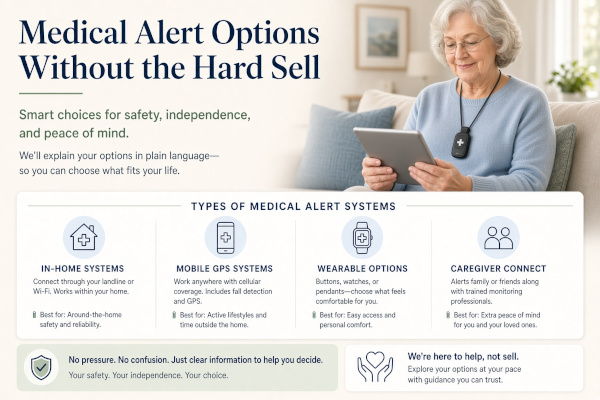
A medical alert is a button that reaches help when you cannot get to a phone. That is the whole job.
Sales calls make this sound urgent and complicated. It is not. You choose three things:
- Who answers — family pager, 911 through a phone, or a paid monitoring center
- Where it works — house only, or house plus away from home
- What you pay — one-time gadget, or a monthly fee
The honest options
| Option | Who it calls | Works away from home? | Typical cost |
|---|---|---|---|
| Caregiver pager | Person in the house | No | $20–$50 once |
| Big-button phone / flip phone | Whoever you dial, or 911 | Phone: yes | Phone + plan |
| In-home monitored button | Paid call center | Usually no | About $25–$40/mo |
| Mobile GPS pendant or watch | Paid call center | Yes | About $25–$50/mo |
| Fall detection add-on | Same center, if it triggers | Varies | Often +$10/mo |
Names you will hear: Bay Alarm Medical, Medical Guardian, MobileHelp, Lively, Life Alert. Prices and extras change. Ask about contract length, equipment fees, and what fall detection actually does.
What the ads skip
- Fall detection misses some falls and can false-alarm
- A pendant in a drawer helps no one. It has to be worn
- Home-only systems do not help in the parking lot
- “Free equipment” often means a long monthly bill
- You can often start month-to-month. Do not sign a multi-year deal to get a lower sticker price
How to choose
- Someone is home most of the day: caregiver pager first
- You stay in the house but are often alone: in-home monitored button
- You drive, walk, or visit family: mobile GPS button or watch
- You already use Alexa well: some people add a voice emergency service. Only if you can speak clearly after a fall
Pros of a monitored system
- Help when you cannot stand up to reach a phone
- Works at 2 a.m. if you wear it
- Family can get a call too, on many plans
Cons
- Monthly cost adds up
- You must wear it, including in the shower if it is rated for water
- Fall detection is extra and imperfect
- Hard-sell phone agents push upgrades
My recommendation
Do not start with the most expensive watch.
If a caregiver is in the house, use a pager.
If you are often alone at home, a simple in-home button with no long contract is enough.
If you leave the house, pay for mobile coverage, not extra apps you will not use.
Read the cancellation terms. Test the button the day it arrives.
This is general information, not medical advice and not an endorsement of any monitoring company.
Leave a Reply